
Before you start: complete the Getting Started guide — your server should be running and your EX-CommandStation connected.
Step 1: Open the Guests page
In Throttle, open Guests from the menu (/guests). It has four tabs: Settings, Effects, Explore and Hunts. On Settings, turn on Allow Guests. The Guest QR, Print guest poster and Open guest view live right under the switch.
Guest Mode is on for every layout. Use Open guest view to see exactly what a visitor sees.
Step 2: Put your Room Code on display
Guests always type the 3-digit Room Code shown near your layout — the same code your members use — so generate one first. The Guests page shows a reminder until you do.
Full screen opens a kiosk view built for a spare tablet or monitor, with the code and a countdown to the next one. Print the guest poster and put it beside the screen.
Regenerating the Room Code ends every guest pass. Everyone is signed out and needs the new code to come back.
Step 3: Choose what guests can do
Under What guests see, switch Explore, Effects and Egg hunt on or off. Welcome sets the intro text and an optional photo at the top of Explore; it falls back to your layout description.
On the Effects tab, pick the effects guests may switch and up to six favourites that show first. Sounds you open to guests (from a sound card's ⋯ → Open to guests) appear as play buttons; each plays once. Automations with Guest access switched on in Automation Studio appear too, with Run and Stop. Every guest effect has its own QR sign — Print signs prints them all, so you can put a sign right next to the thing it controls.
Step 4: Build your stops
On the Explore tab, add the stops around your layout. Only the name is required, and anything you leave blank simply isn't shown. A stop can have photos, a teaser, the tall tale and the real deal, track talk, an under-the-hood section built from your DEJA devices, its effects and sounds, a voice-over and videos.
Upload audio (up to 25 MB) or video (up to 200 MB), or paste a YouTube or Vimeo link. For the map, copy the ready-made AI prompt into ChatGPT, Claude or Gemini with a photo or track plan of your layout, upload the picture it makes, then tap the map to drop each stop's pin.
Print signs makes a numbered QR sign for every stop. A guest who scans one joins and lands right on that stop.
Step 5: Hide some eggs (optional)
The Hunts tab creates and runs egg hunts. Guests see the eggs in a cave, tap one for its hints, and tap Found it! when they spot the real thing on the layout. Find them all for a golden ticket and an air-horn send-off.
Easter Egg HuntsdocsStep 6: Welcome your first guest
A visitor scans your Guest QR, gets a generated railroad name such as Connie Conductor or Yuri Yardmaster (tap the card to shuffle it), types the Room Code and taps Punch my ticket. From then on the whole visit happens on their phone.
What your guests see.
A sunny little rail yard built for phones. Each page has its own track, and the train pulls a car for every page.
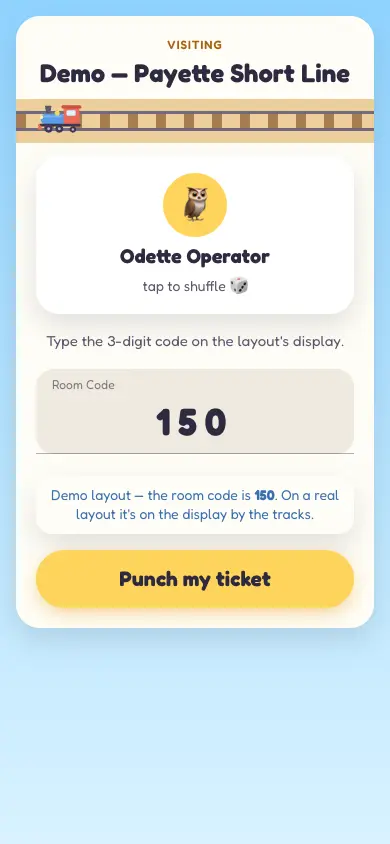
Join
A generated railroad name, then the Room Code from your display.
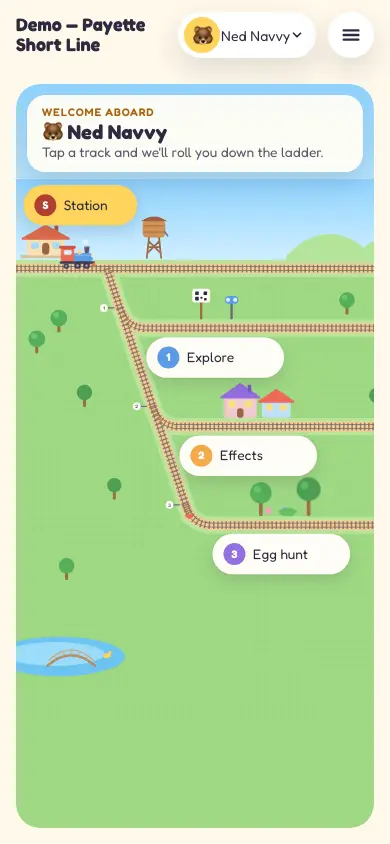
The yard
Home is a little rail yard. Each track leads somewhere.
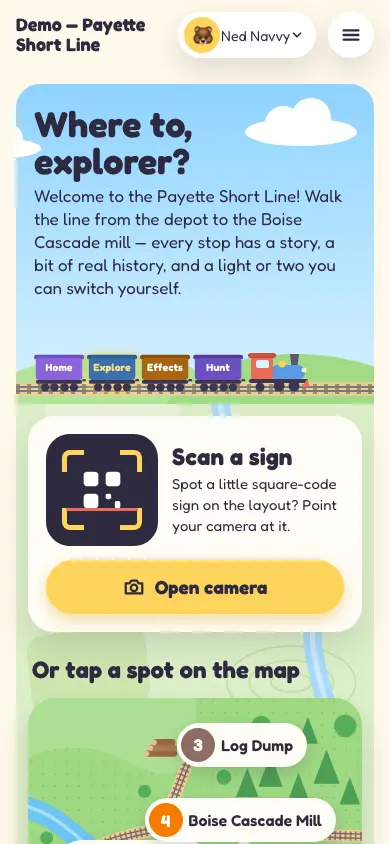
Explore
Scan a sign, tap a pin on your map, or pick from the list.
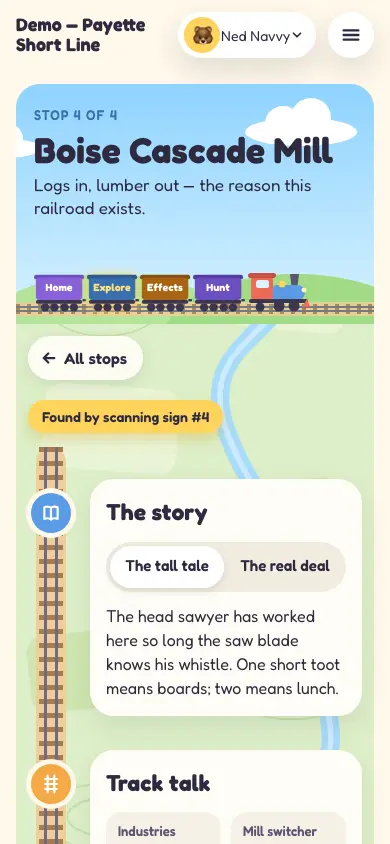
A stop
Shows only what you filled in: story, track talk, videos, effects.
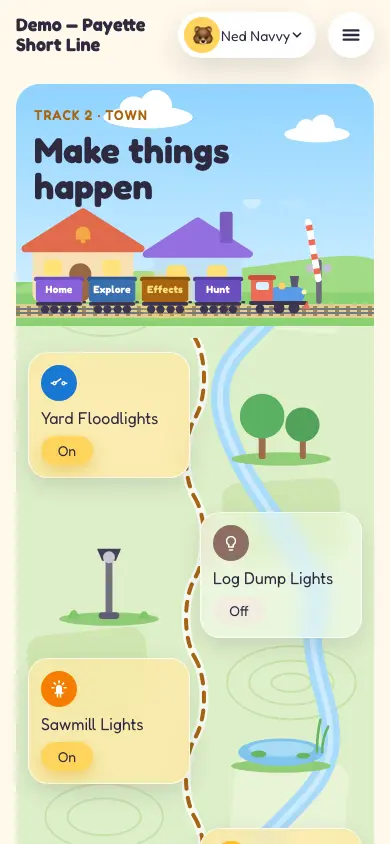
Effects
Every effect you allow, as cards along a little map.
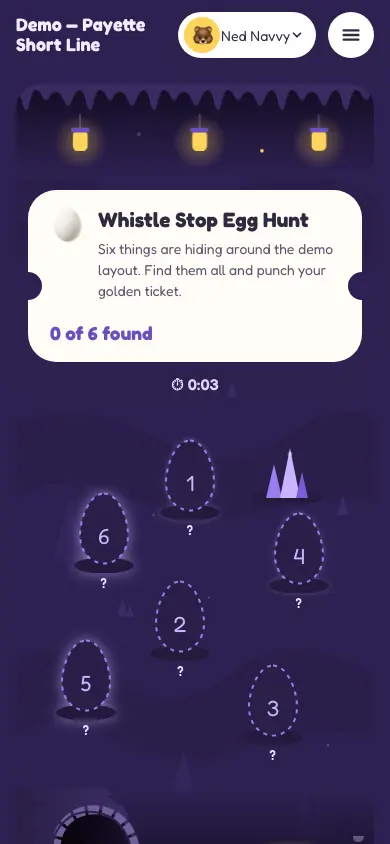
Egg hunt
Eggs at random spots in a cave, the same for everyone on the hunt.
Good to know
- No account, just a pass
- Guests get a pass, not a login. It lasts 24 hours, and they can simply rejoin.
- Guest QR is not the Join Link
- The Guest QR is for visitors. Members still join with the member Join Link and an account.
- Regenerating the Room Code ends every pass
- Treat it as “kick everyone”: all current guests are signed out and need the new code.
- Off means off
- A module you switch off disappears from the guest app, and its actions are refused.
- Some things stay yours
- Track power and frogs can never be guest effects.
Want a hand setting up stops, signs and a hunt for an open house? Book a session.
End of the line.
You've read every guide. Head back to the start, or dig into the docs.